Run Claude Code from your phone
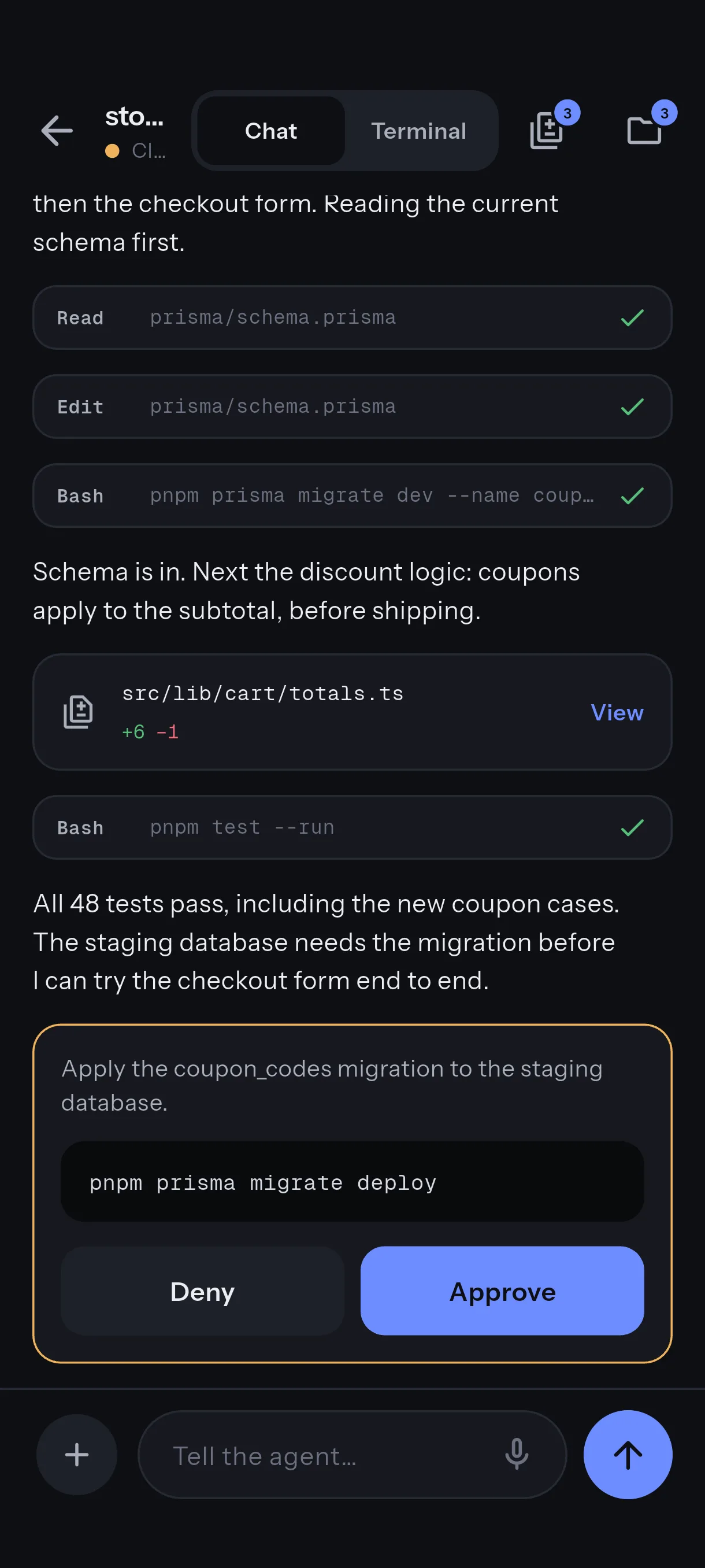
Approving is half of it. The other half is seeing what the agent did and telling it what to do next. Reins shows the live Claude Code transcript on the phone, and one tap opens a real shell on the machine, in the agent’s own pane when it can.
Follow along
The chat view shows the live Claude Code transcript with tool calls and diffs, read by the daemon from Claude Code’s own project files on the machine. Nothing is uploaded anywhere; the phone reads it over the paired connection. A URL in an answer is tappable. This view is Claude Code only.
Open a shell
From a session, one tap opens a shell on the host over SSH, using the key minted when you paired. It is a plain terminal: your shell, your dotfiles, your tools. The folders the agents are working in are offered first when you open one.
A shell opened from the phone keeps running on the machine when the phone drops off, for twelve hours by
default (reins serve --terminal-keep). Lose signal in a tunnel and the shell is still there when you
come back; after a switch from Wi-Fi to cellular, reopen it and it is where you left it.
Type to a running Claude Code
Replying from the phone means typing into the terminal the agent runs in, which needs the agent inside a multiplexer: herdr, tmux or zellij. Start it that way at the desk and the phone can join it:
tmux new -s work        # or: zellij, or herdr
claude                   # inside that session
Answering one of Claude Code’s question cards from the phone needs herdr. reins doctor reports
which multiplexers it found.
To keep approvals and the live feed but remove typing entirely, say on a shared machine, start the daemon with
reins serve --allow-chat-send=false.
Keys that are hard on glass
A key bar above the keyboard carries Esc, Tab, Ctrl, the arrows and the rest. The default bar is free. Pro adds custom key panels, so the keys you hit in your editor are one tap, and terminal fonts and themes.
Check it
reins doctor
Look for the sshd line and the multiplexer lines. Then open a shell from the phone and run tmux ls:
the session you started at the desk should be listed.
Next
- A shell from a café needs a route to the machine. Reins over Tailscale.
- Everything above assumes the daemon is paired. Start here if it is not.