Approve Claude Code permission prompts from your phone
Claude Code stops and asks before it runs a command or edits a file. With Reins, that question reaches your phone with the exact command, or the diff, and your answer goes straight back to the terminal. Here is the whole setup, in about five minutes.
1. Install the daemon on the machine Claude Code runs on
One static binary for macOS, Linux and WSL2. With Homebrew:
brew install enraio/tap/reinsbrew services start reinsOr with the install script, which checks the download against the release checksums:
curl -fsSL https://reins.enraio.com/install.sh | sh2. Wire Claude Code
reins setup --no-service
Drop --no-service if you used the install script; setup then also starts reins at login. Setup
adds hooks to ~/.claude/settings.json, leaves your other hooks alone, and prints a pairing QR.
Only one of those hooks blocks: PreToolUse, which waits up to 180 seconds for your answer. The
rest run in the background so the phone knows when a session starts, finishes or gets stuck. The full list is
in Agents and hooks.
3. Scan the QR from the app
Open Reins on your phone and scan the QR from the pairing screen. The QR carries your machine’s addresses, your username, the SSH host-key fingerprints and a key minted for this phone, never a password. Treat it like a key. Get the app from the App Store or Google Play.
4. Ask Claude Code for something it has to check
Restart any Claude Code session that was already running so it reloads its hooks. Then ask it to do something it normally stops for, say a force-push or a file edit outside the working tree. The request arrives on the phone as a card with four things on it:
- Who asked: the agent, the folder it is working in, and how long ago.
- What changes: the exact command, or for an edit the diff, line by line.
- Why it needs you: a warning when the command cannot be undone.
- What happens if you do nothing: the agent asks at your desk instead, after three minutes.
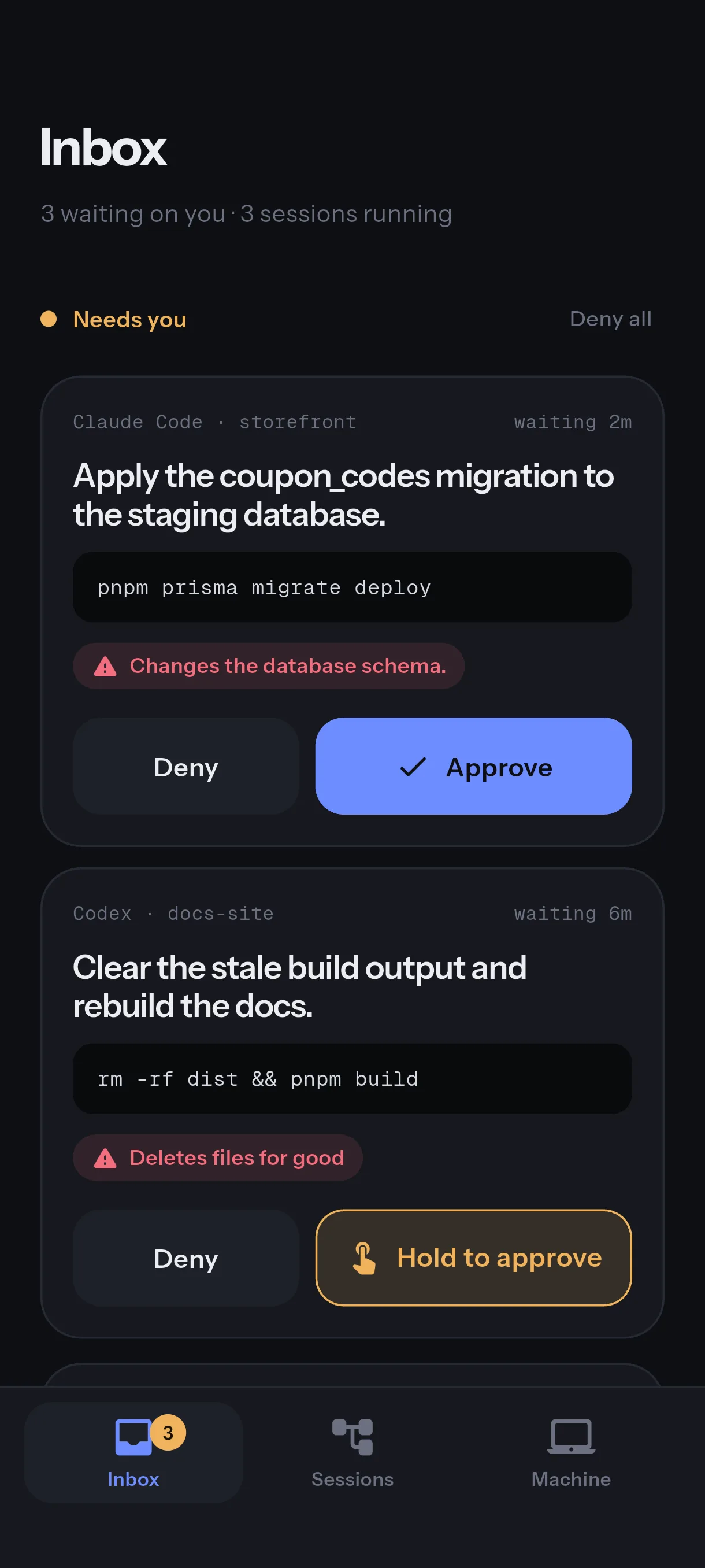
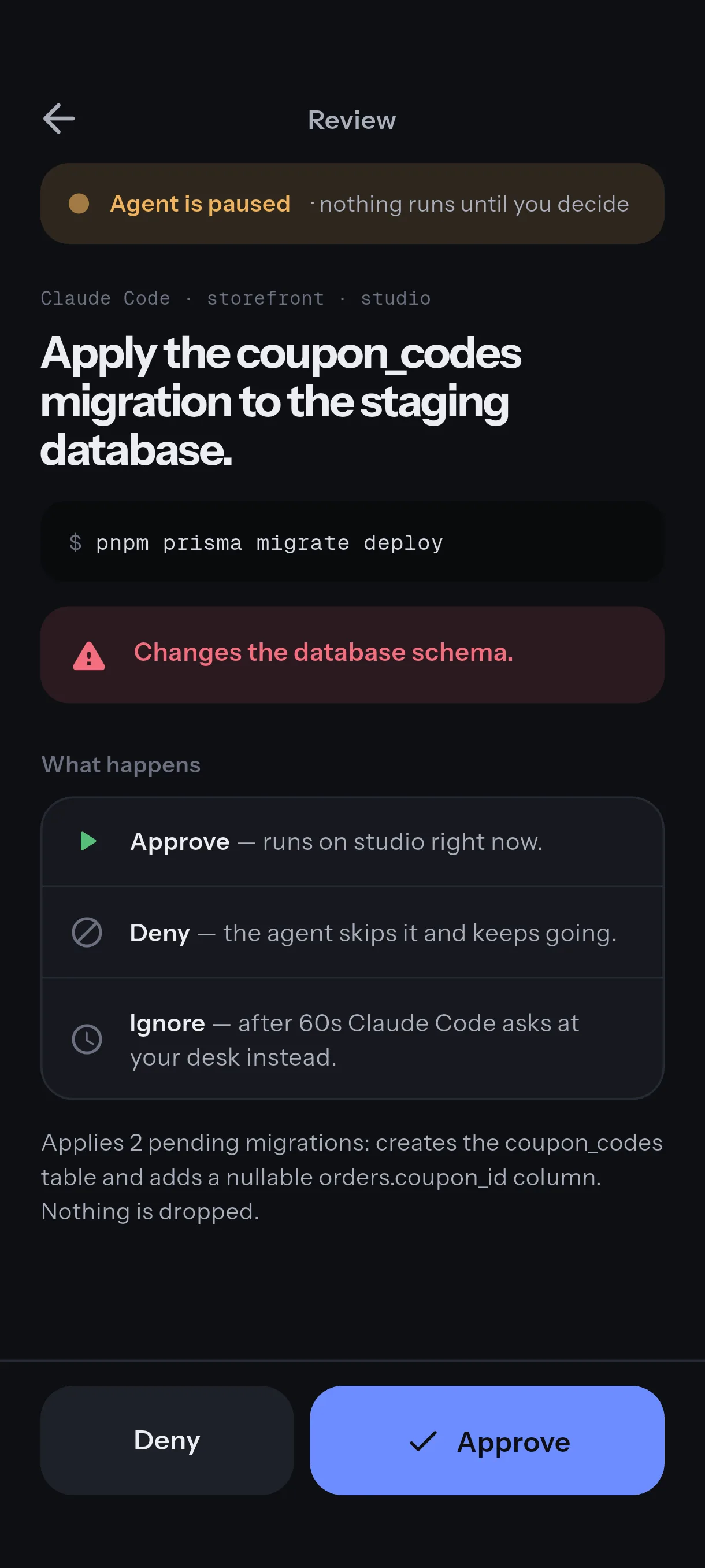
An edit is one tap to approve. A command that cannot be undone, such as rm -rf, a force-push or
DROP TABLE, takes a press-and-hold. Deny is one tap, and Deny all clears the queue. The answer goes
back over your paired connection and Claude Code carries on in the terminal.
If you do not answer
Nothing is approved on your behalf. After three minutes the hook gives up and Claude Code shows its own prompt in the terminal, exactly as it would without Reins. The same happens if the daemon is not running or no phone is attached: the hook returns at once. An unanswered request is never a denial, and a late tap is never a live approval. The full table is on the security page.
Headless runs and the other hook
Approvals ride on PreToolUse because it fires everywhere, including claude -p. Claude
Code also has a PermissionRequest hook that saves a process per tool call, and you can switch to it
with reins install-hooks --approvals permission-request, but it never fires for headless runs, so
approvals there would silently stop. Leave the default unless you know you want the trade.
Check it
reins doctorOne line per check: the daemon, sshd, each Claude Code hook with the reason it exists, and the multiplexers. Fix anything marked, then try again.
Next
- Away from your network, the phone needs a route to the machine. Reins over Tailscale.
- Hear about it when the app is closed. Claude Code notifications on your phone.
- Follow the transcript and type back from a terminal. A terminal that lasts.
If you already pay for Claude Max, Claude Code’s own Remote Control also puts prompts on your phone, through Anthropic’s infrastructure. Reins connects your phone to your own machine instead, works with seventeen agents rather than one, and is free on two machines. The FAQ has the comparison.